Joyful Tutors
Tuition centre for students to learn, explore and hire suitable tutors
Joyful Tutors Website using Figma
Joyful Tutors is a user-friendly tutoring website designed for students and parents to easily browse subjects offered from primary one to junior college students. Additionally they can register for a suitable tutor based on the variety of tutor profiles available.
Justification Of Design Choices
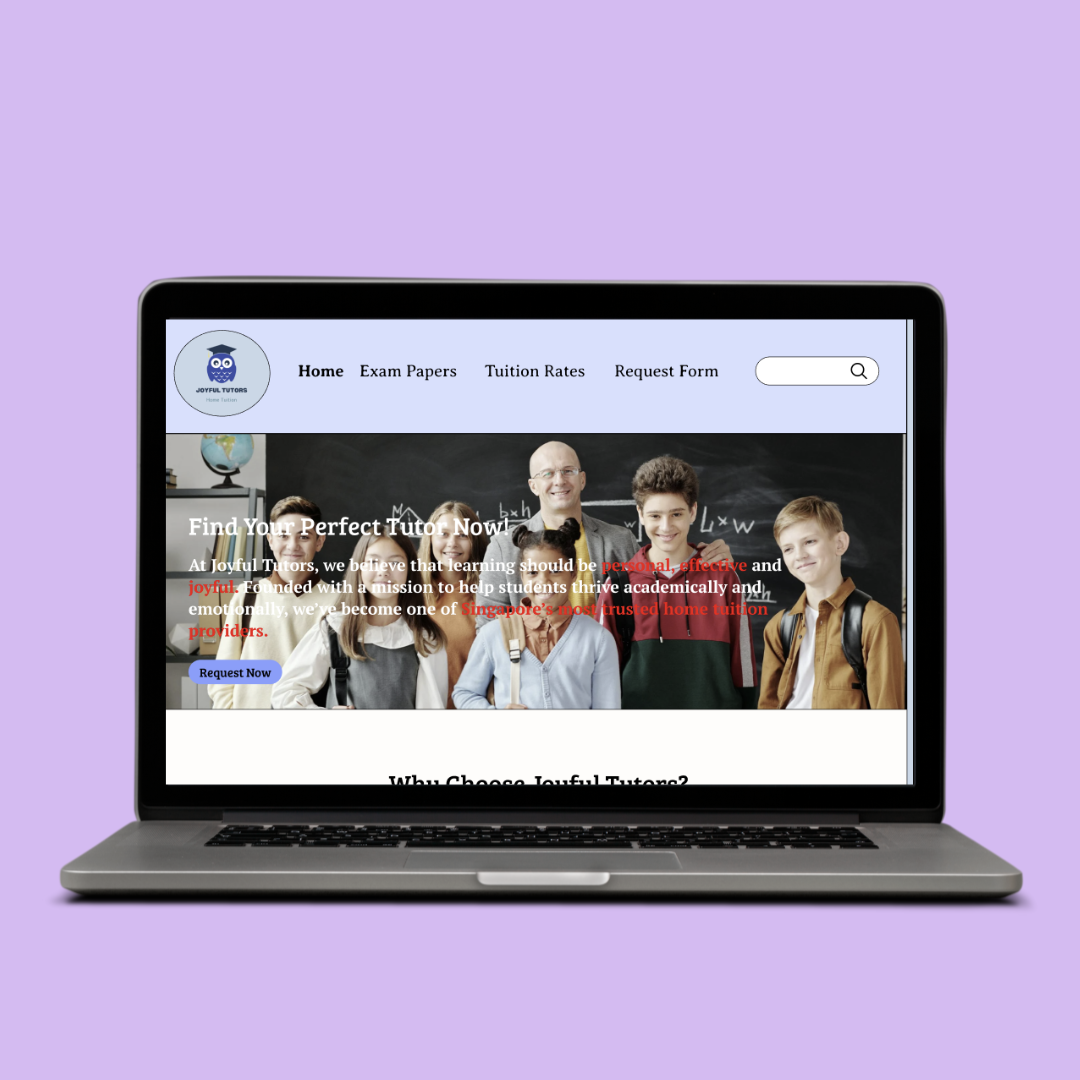
I designed Joyful Tutors website by implementing usability principles to ensure clarity, efficiency and ease of use for parents and students.
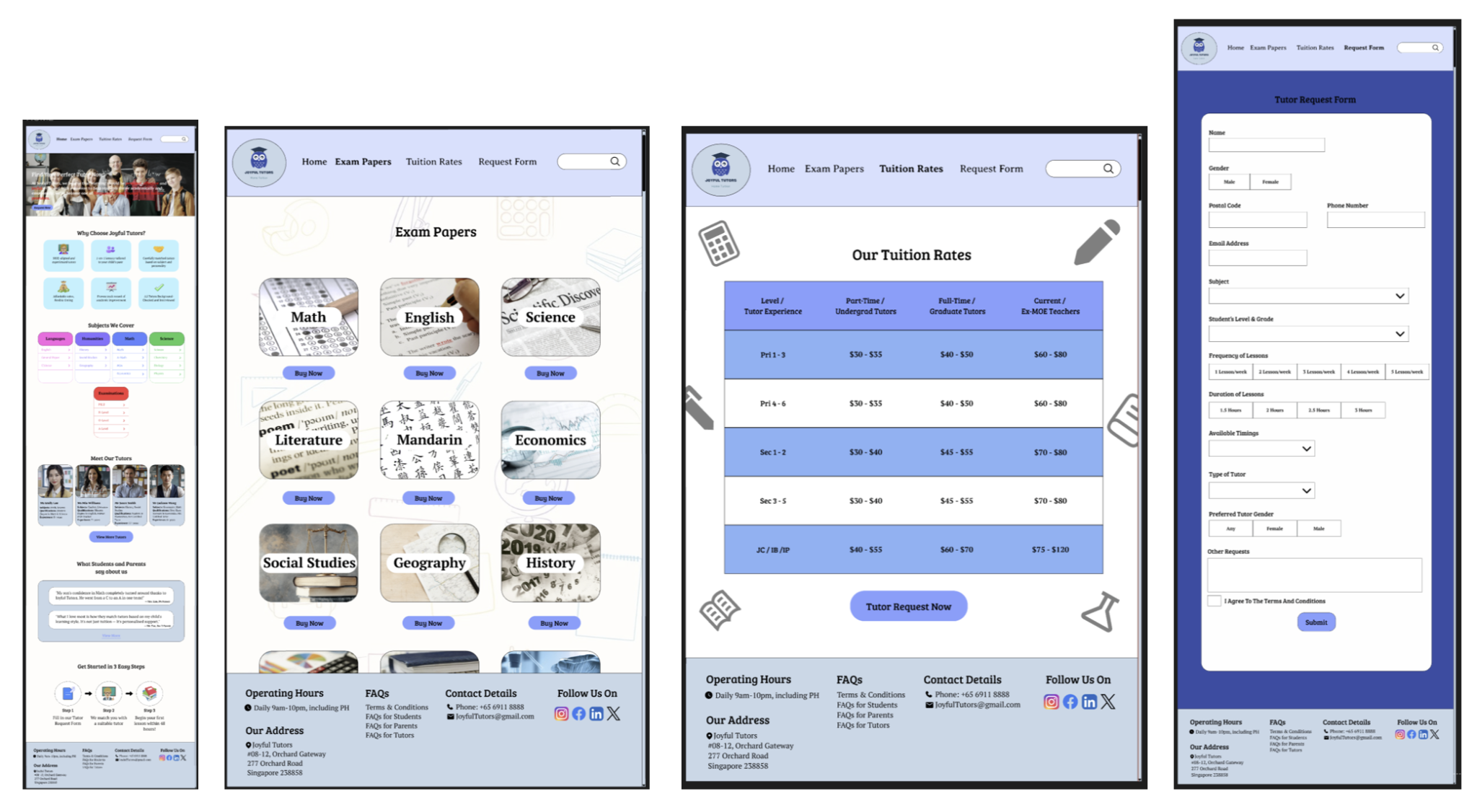
I ensured a consistent top navigation bar was on every page of the website. Additionally, I added a clear call-to-action button such as “Find Your Perfect Tutor Now” and “Request Now” to guide users towards key actions without unnecessary navigation.
Moreover, I used familiar terminology and intuitive icons which allows users to quickly understand processes such as tutor selection and request submission. Next, I ensured user control and freedom are supported through consistent navigation across pages, enabling users to move freely and confidently throughout the site.
Next, I kept a uniform colour scheme, typography and repeated footer layout to reinforce consistency and standards. To minimise errors, the tutor request forms are structured with dropdowns, radio buttons and clearly separated input fields, preventing errors and providing efficient form completion.
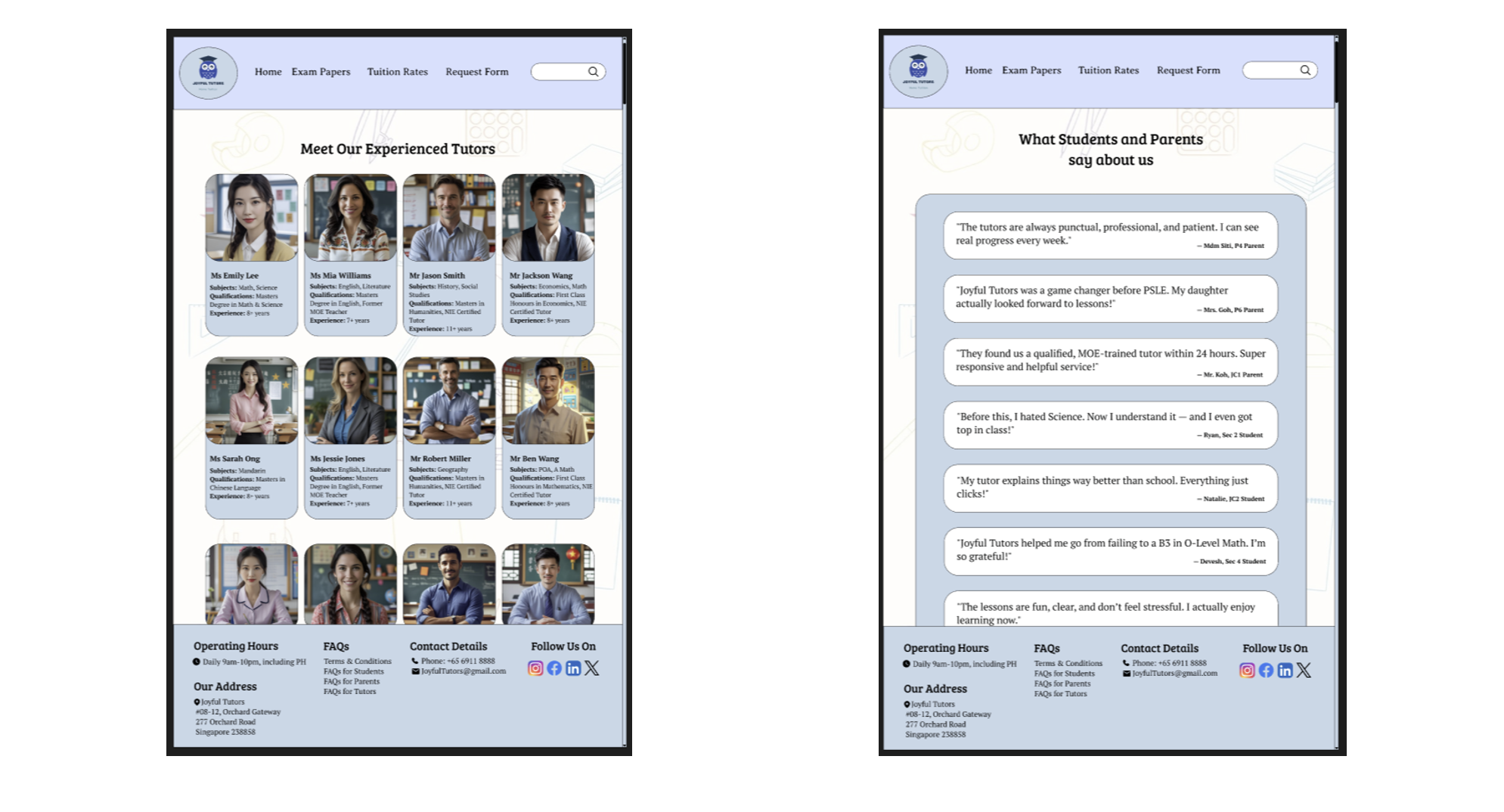
My design prioritises recognition rather than recall by presenting tutor profiles, subjects and qualifications visually, reducing memory load on users. A clean and minimal layout also ensures only relevant information is displayed, improving readability and focus for users. Lastly, accessible FAQs and visible contact details are provided, allowing users to resolve queries quickly without external support.
Design Patterns
My Joyful Tutors website applies established design patterns to create a clear, efficient and user-friendly experience for parents and students.
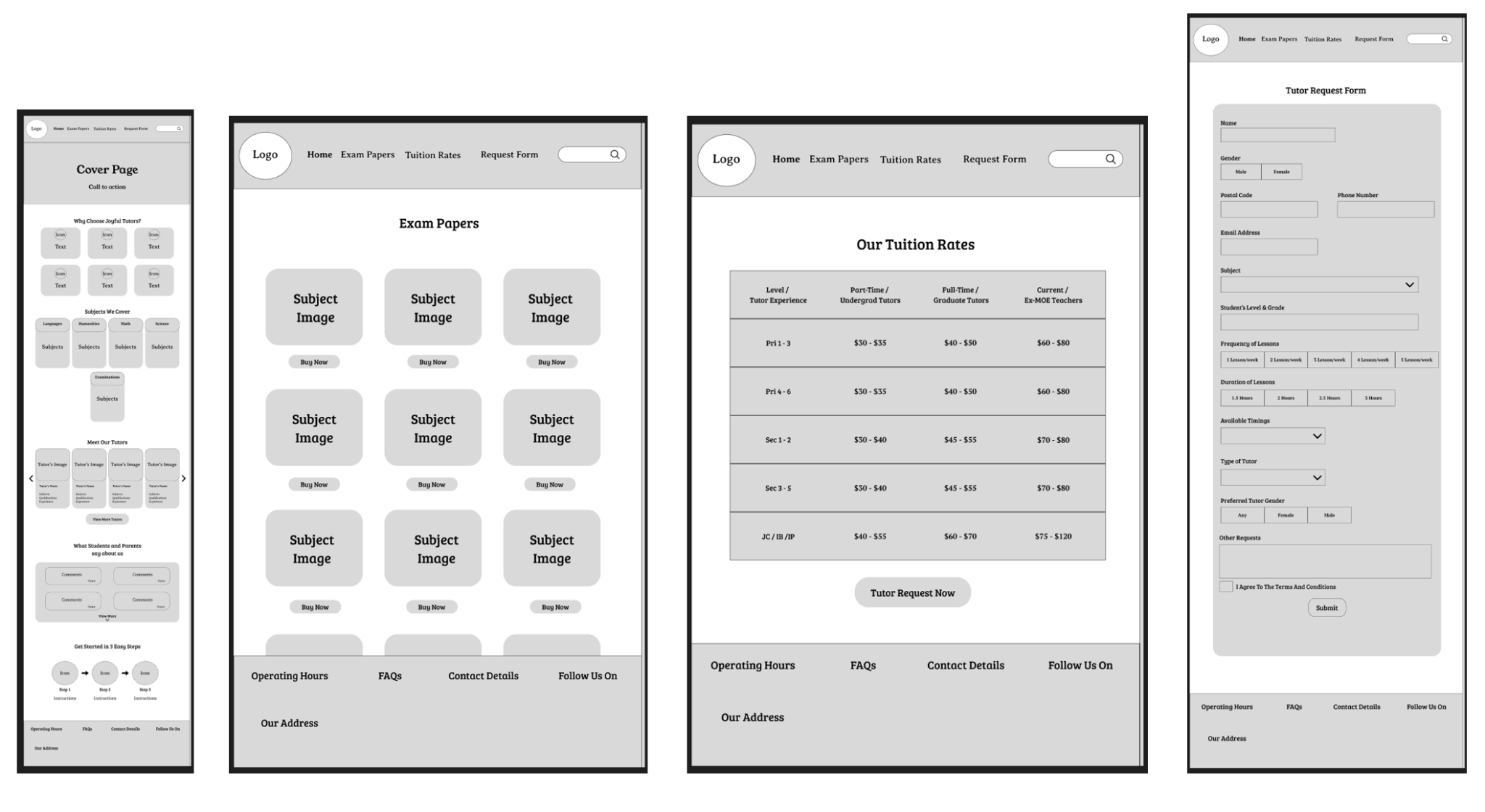
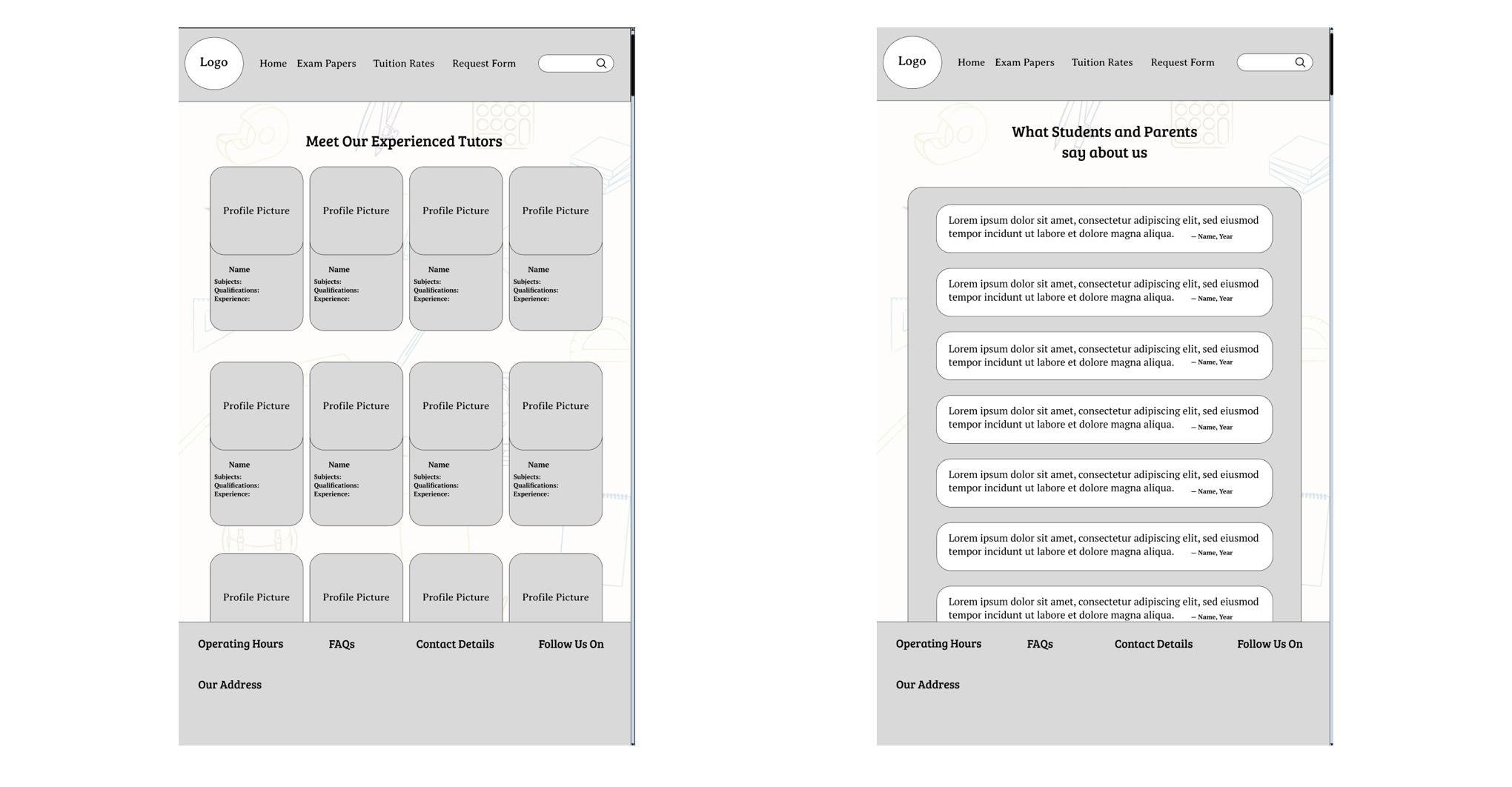
I used a card-based layout for tutor profiles and subject listings, presenting information in a consistent and scannable format. This allows users to visually distinguish, browse and compare options easily without confusion or cognitive overload.
Next, a strong visual hierarchy is established through clear headings, subheadings and structured sections such as “Why Choose Joyful Tutors?”, “Meet Our Tutors” and “Get Started in 3 Easy Steps”. This guides users through the site from the most important information to supporting details.
Clear call-to-action patterns such as “Find Your Perfect Tutor Now”, “Tutor Request Now” and“Submit” are visually prominent and strategically placed to encourage task completion and quick decision-making.
Lastly, the tutor request form uses dropdowns, radio buttons and checkboxes instead of open text fields to standardise inputs, reduce errors and speed up form completion.
Mood Board
Site Map
Wireframes
Prototypes
Style Guide